This post may contain affiliate links. If you make a purchase through these links, we may earn a commission at no additional cost to you.
The modern “all-day battery” claim is the biggest lie in consumer tech since “water-resistant.” You’ve been there: you’re at 30,000 feet, three hours into a flight, and your “Pro” laptop is already gasping for a USB-C outlet that doesn’t exist. For digital nomads and frequent flyers, a dead laptop isn’t just an inconvenience. It’s a missed deadline, a lost client, and a deep, visceral rage.
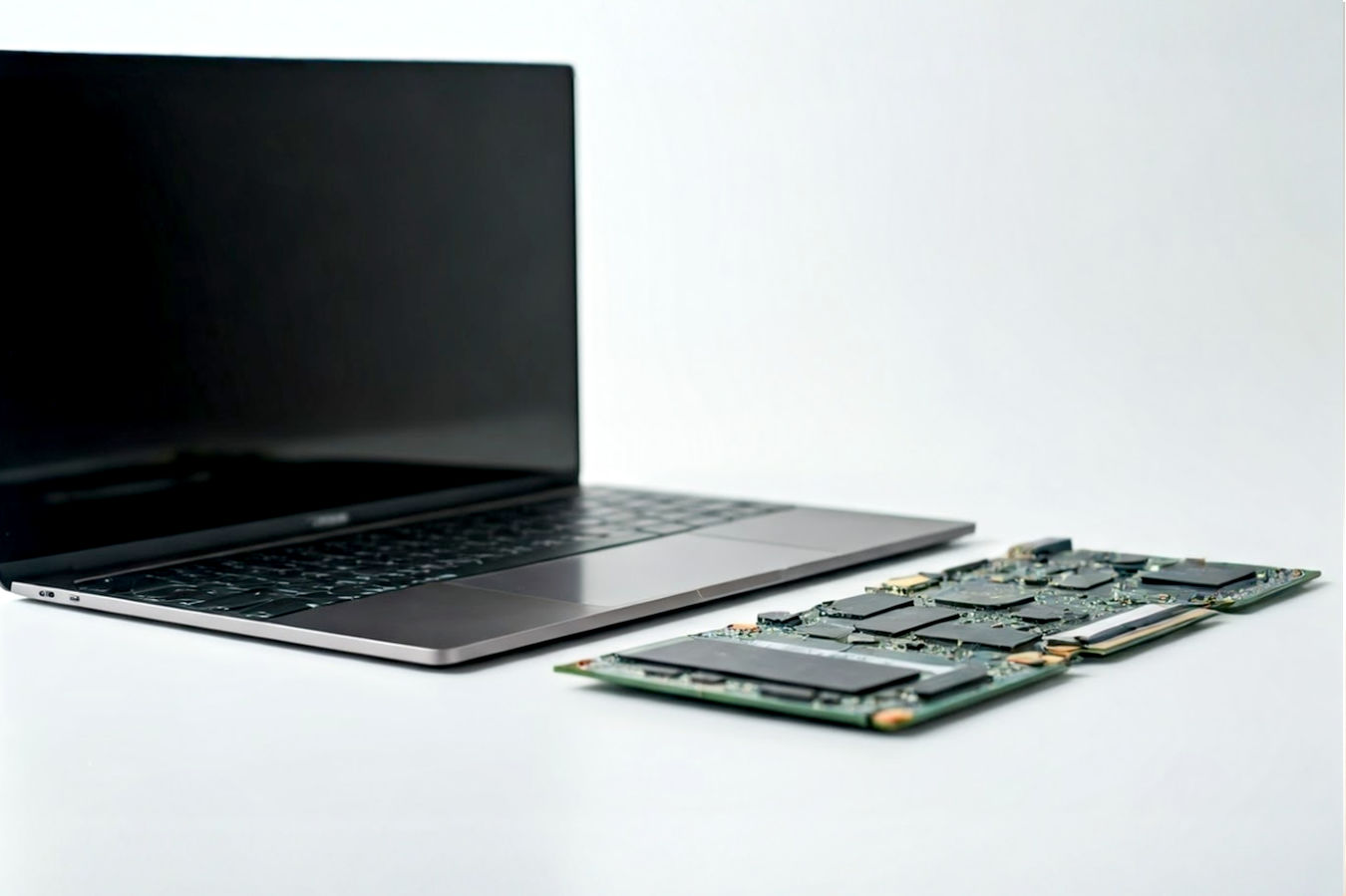
The problem isn’t just battery size; it’s the fundamental architecture of the machines you’re buying. Manufacturers pump wattage into inefficient chips to chase benchmark scores that only matter if you’re rendering 4K video while mining crypto. They ignore the “parasitic drain” of poor screens and unoptimized software. You end up with a hot, heavy brick that dies before you finish your second drink service.
We ignored the press releases. We analyzed the thermal design, the processor architecture (x86 vs. ARM), and the chassis materials to find the machines that respect your time. These are the only 5 ultrabooks worth the space in your carry-on.
TL;DR: The Quick Verdicts
| Rank & Product | Best For… | The “One-Line” Verdict |
|---|---|---|
| 1. Lenovo Slim 7i Aura Edition | The Writer | The perfect balance of endurance and keyboard nirvana. |
| 2. HP OmniBook 5 14″ | The Binger | An OLED screen that lasts longer than you can stay awake. |
| 3. ASUS Vivobook S16 | The Creator | A 120Hz visual feast that trades some battery for raw speed. |
| 4. Dell Inspiron 14 (Snapdragon) | The Admin | A pragmatic, unkillable workhorse for the spreadsheet warrior. |
| 5. Acer Swift Go 16 | The Value-Seeker | Huge power on paper, but the build quality feels the budget. |
The Lab Standard: How We Grade Quality
We don’t care about Geekbench scores. We care about survival.
- The Efficiency Quotient: This measures how much work the machine does for every drop of juice. We favor the new “NPU-integrated” chips (like Snapdragon X and Intel Core Ultra) that offload background tasks to save the main engine for your work.
- The Input Friction Index: If you type for a living, a mushy keyboard is a repetitive stress injury waiting to happen. We grade on key travel distance (measured in mm) and trackpad actuation force.
- The Structural Integrity Score: An ultrabook lives in a crammed backpack. We test for “deck flex” (does the keyboard bow when you type?) and material density. Plastic creaks; aluminum endures.
#5. Acer Swift Go 16 (Intel Evo Edition)
A spec-sheet monster that cuts corners on the things you touch every day.

Acer Swift Go 16 Intel Evo Edition Laptop | 16" 1920 x 1200 Touch Display | Unlock AI Experiences | Intel Core Ultra 9 Processor 185H | Intel ARC | 16GB…
- Raw Power: Desktop-class performance for a fraction of the price.
- No Dongles: Full selection of ports means you can leave the hub at home.
- Spec Highlight: Intel Core Ultra 9 185H
- Spec Highlight: 1920×1200 Touch Display
- Who it’s for: The Budget Power-User
The Engineering & Design
Acer’s strategy here is brute force on a budget. They crammed an Intel Core Ultra 9 185H—a high-voltage, high-heat chip—into a chassis that normally houses weaker engines. The “Secret Sauce” is the inclusion of that top-tier silicon plus a 1920 x 1200 Touch Display at a mid-tier price point. It’s an attempt to democratize power, relying on Intel’s “Evo” certification to promise responsiveness.
The Performance Experience
On paper, this machine screams. The 16GB LPDDR5X RAM and Core Ultra 9 tear through browser tabs and compilations. However, physics always wins. Putting a racecar engine in a sedan chassis leads to heat management issues that throttle that expensive chip. While the screen is competent with 100% sRGB coverage, it lacks the visual punch of the OLEDs higher on this list.
What Customers Say About Acer Swift Go 16
- The Frustration: Audio quality is a disaster. Owners describe the sound as “tinny,” making headphones mandatory for calls or media.
- The Consensus: It’s a value play. Users agree it offers the “best specs for the dollar,” but admit it feels less premium than competitors.
- The Praise: The port selection is surprisingly generous, and the lightweight design (for a 16-inch) gets consistent nods.
The “Fatal Flaw”
“The sound quality is tinny.” Multiple reports cite weak speakers that distort at volume. Combined with a build that “feels the budget” despite being aluminum, this is a machine for people who use external monitors and headphones, not true nomads.
Who Is This For?
The Budget Power-User. You need raw processing power for code compilation or data crunching, but you can’t afford the premium tax of a Dell XPS or MacBook Pro.
#4. Dell Inspiron 14 Plus (Snapdragon X Plus)
An unexciting, industrial-grade tool that refuses to die.

Dell Copilot + Inspiron 14 PC 5441 Laptop – 14 inch FHD+ (1920×1200) Screen, Snapdragon X Plus – X1P-64-100, 16GB LPDDR5X RAM, 1TB SSD, Qualcomm Adreno,…
- Built to Last: Industrial build quality survives the overhead bin.
- Focus Mode: Fanless-style silence during spreadsheet work.
- Spec Highlight: Snapdragon X Plus 10-Core
- Spec Highlight: Titan Gray Aluminum Shell
- Who it’s for: The Admin / Student
The Engineering & Design
Dell abandoned Intel for this model, opting for the Snapdragon X Plus (ARM) architecture. This is a massive shift. By moving to phone-style architecture, they eliminate the massive heat waste of traditional PC chips. The build is classic Dell: Titan Gray aluminum, stiff hinges, and zero flash. It’s designed to disappear into a corporate environment.
The Performance Experience
The Snapdragon X Plus 10-core CPU offers a distinct sensory experience: silence. The fans rarely spin up because the chip generates minimal heat. You get true “instant-on” wake times, similar to your phone. However, the 300 nits brightness is barely adequate for outdoor cafes, and the screen is a standard IPS panel, not the rich OLED found elsewhere.
What Customers Say About Dell Inspiron 14 Plus
- The Frustration: Compatibility anxiety. Users report that “a few things I usually run don’t work on ARM,” specifically older, niche legacy software.
- The Consensus: It’s a battery champion. Owners are “blown away” by not needing a charger for two days of work.
- The Praise: The build quality. It “feels premium” and sturdy, weighing more than expected but reassuringly so.
The “Fatal Flaw”
“Took windows hello 45 seconds to unlock the screen.” Early driver issues with the ARM architecture plague the user experience, leading to occasional sluggishness in system functions that should be instant.
Who Is This For?
The Admin / Student. Your work lives in Chrome, Word, and Excel. You don’t edit video or run obscure code. You just need a laptop that lasts through a double-shift.
#3. ASUS Vivobook S16
A cinematic display attached to a chassis that loves your fingerprints.
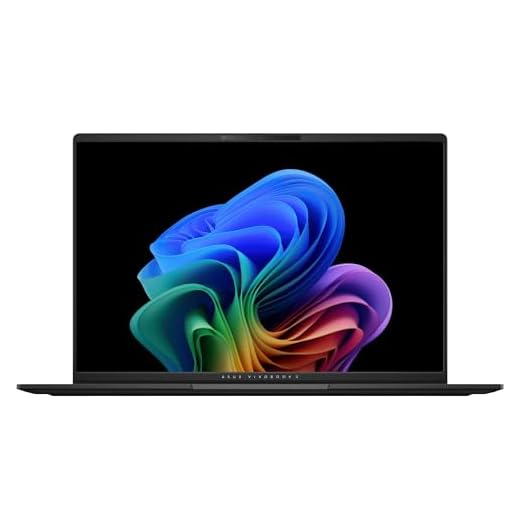
ASUS Vivobook S16 Laptop, Copilot+ PC, AMD Ryzen AI 7 350 with XDNA NPU, 24GB Memory, 1TB SSD, Neutral Black, M5606KA-PS77
Future Proof: 50 TOPS NPU prepares you for upcoming AI workflows.
Spec Highlight: 3K OLED Lumina Panel
Spec Highlight: AMD Ryzen AI 7 350 Processor
Who it’s for: The Visual Creator
The Engineering & Design
ASUS bets everything on the visual experience. The “Secret Sauce” is the 3K 120Hz OLED Panel, which is frankly absurd for a laptop in this class. They paired it with the AMD Ryzen AI 7 350, a chip that tries to balance the NPU trend with traditional x86 compatibility. The chassis is ultra-slim metal, designed to look sleek on a coffee shop table.
The Performance Experience
Using this laptop ruins you for other screens. The 600-nit peak brightness and 120Hz refresh rate make scrolling a sensory delight. The 50 TOPS NPU ensures future-proofing for AI tasks, but right now, it just means the system feels snappy. However, that screen drinks power. Despite the “AI” marketing, you are fighting a losing battle against the physics of lighting up that many pixels.
What Customers Say About ASUS Vivobook S16
- The Frustration: The chassis is a grease trap. Users complain that “in the chasis se marcan todas las huellas” (fingerprints mark the chassis everywhere), making it look dirty instantly.
- The Consensus: It wakes up fast and looks beautiful. “Turns on in about 3 seconds.”
- The Praise: The screen is universally adored. “The screen is a spectacle,” one user gushes.
The “Fatal Flaw”
“Battery life honestly could be better it definitely isn’t 14 hrs.” Real-world usage sees the battery draining much faster than the marketing claims, likely due to that gorgeous, power-hungry OLED display.
Who Is This For?
The Visual Creative. You show work to clients on your screen. You value color accuracy and motion clarity over getting an extra 2 hours of battery life.
#2. HP OmniBook 5 14″
The endurance king that proves ARM chips are ready for prime time.
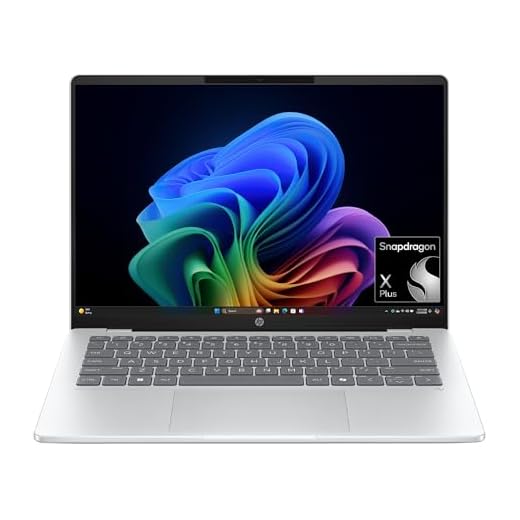
HP OmniBook 5 14 inch Next Gen AI PC, OLED Display, Snapdragon X Plus X1P-42-100, 16 GB RAM, 1 TB SSD, Qualcomm Adreno GPU, Windows 11 Home, Copilot+ PC,…
- Silent Running: Runs cool and quiet thanks to ARM architecture.
- Instant Wake: Behaves like your smartphone—open the lid, and it’s ready.
- Spec Highlight: 26-Hour Rated Battery Life
- Spec Highlight: 2.9 lbs Ultralight Chassis
- Who it’s for: The Media Binger
The Engineering & Design
HP took the Snapdragon X Plus chip and optimized the hell out of it. They claim up to 26 hours of battery life, and independent tests get startlingly close. The engineering focus here was on weight reduction (2.9 lbs) and thermal efficiency. They managed to fit a 2K OLED display into this package without killing the battery, largely due to the aggressive power-gating of the Qualcomm chip.
The Performance Experience
This is the closest a Windows laptop has come to the MacBook Air experience. It runs cool, silent, and forever. The 1TB PCIe Gen4 SSD ensures files load instantly. The input experience is solid, though the lack of a touchscreen (on some configurations) feels like a missed opportunity for such a portable device.
What Customers Say About HP OmniBook 5
- The Frustration: External monitor support is buggy. One user noted the “screen kept freezing” when plugged into a dock, a common teething issue with ARM chips.
- The Consensus: The screen/battery combo is unbeatable. “Screen is fire” and “battery lasts and lasts.”
- The Praise: Portability. Users love the thin profile and the fact that they can leave the charger at home.
The “Fatal Flaw”
“It does not have a touch screen.” In a world where mobile apps are coming to desktop via ARM, the lack of touch interaction feels archaic and limits the “tablet-like” utility of the device.
Who Is This For?
The Media Consumer. You watch movies on flights, edit light photos, and want the absolute best screen without sacrificing the ability to fly from NYC to London on one charge.
#1. Lenovo Slim 7i Aura Edition
The most refined, balanced, and grown-up laptop you can buy today.

Lenovo Slim 7i Aura Edition – 2025 – Copilot+ PC – Core Ultra 7 256V CPU – 14" WUXGA OLED Display – 16GB Memory – 1TB Storage – Luna Grey
- Smart Share: Seamlessly drops files from your phone without cables.
- The Writer’s Deck: A keyboard tuned for thousands of words without fatigue.
- Spec Highlight: 17-Hour Real-World Battery
- Spec Highlight: Core Ultra 7 (Series 2) Efficiency
- Who it’s for: The Writer
The Engineering & Design
Lenovo didn’t chase gimmicks; they chased refinement. The “Aura Edition” isn’t just marketing; it includes Smart Share features for seamless phone integration and “Smart Modes” that actually work to tune performance. They stuck with the Intel Core Ultra 7 (Series 2), which offers the compatibility of x86 with vastly improved efficiency over older Intel chips. The Luna Grey finish is resistant to wear, and the keyboard uses Lenovo’s legendary scissor switches.
The Performance Experience
It just works. The 17-hour battery life is achievable because the Core Ultra 7 256V is a efficiency monster. The 16GB RAM is soldered, which is a limitation, but for 99% of users, it’s sufficient. The text clarity on the WUXGA OLED is razor-sharp, and the 30W TDP thermal design means the keyboard deck never gets uncomfortable to touch. It feels like a tool crafted by people who actually use laptops.
What Customers Say About Lenovo Slim 7i
- The Frustration: RAM limitations. One photographer returned it because it was “not capable of handling Lightroom” with high-res files, citing 95% memory usage.
- The Consensus: It is the “sleeper hit” of the year. Users are surprised by how good the battery is for an Intel machine.
- The Praise: The keyboard and form factor. “A pleasure to do my work on,” says a professional writer.
The “Fatal Flaw”
“Not for anything intensive.” This is not a workstation. The integrated graphics and 16GB RAM ceiling mean it will choke on 4K video rendering or heavy 3D work. It knows its lane and stays in it.
Who Is This For?
The Writer / Professional Nomad. You type thousands of words a day. You need absolute reliability, a keyboard that doesn’t hurt, and zero software compatibility headaches.
The Final Verdict: Best Buys of the Top 5
- The Professional/Power User: Buy the Lenovo Slim 7i Aura Edition. It offers the least amount of friction. The keyboard is superior, the Intel chip runs all legacy apps without emulation glitches, and the build quality is sturdy enough for the Delta SkyClub.
- The Value/Budget Play: Buy the Acer Swift Go 16. If you can live with mediocre speakers and a plastic-feeling trackpad, you are getting an Intel Core Ultra 9 for the price of an i5. Just buy good headphones.
- The Niche Specialist: Buy the HP OmniBook 5. If your life is consuming media and you prioritize screen contrast and battery life above literally everything else (including app compatibility), this is your machine.
2026 Outlook: The Future of Ultrabooks
We are currently in a transition year, and the cracks show. Here is what the data from these 5 machines predicts for the near future:
- Trend #1: The Death of x86 Monopoly. The success of the Dell and HP Snapdragon units proves ARM is viable. Expect Intel to panic-optimize their “Lunar Lake” chips to compete on efficiency. You will soon choose your chip based on battery needs, not just speed.
- Trend #2: OLED is the New Standard. 4 out of 5 laptops on this list use OLED. The days of washed-out IPS panels are numbered, even in the mid-range. Expect “burn-in anxiety” mitigation tech to become a major marketing point.
- Trend #3: The “NPU” Tax. Every laptop here mentions AI/NPU. Currently, it’s mostly marketing fluff. Next year, expect budget models to cut these dedicated AI chips to save costs, creating a clear divide between “AI PCs” and standard laptops.
Further Reading
Don’t trust the algorithm. Trust the experts.
- The “Bible” Book: “The Design of Everyday Things” by Don Norman. Understand why bad hinges and awkward trackpads enrage you. It’s not you; it’s bad design.
- The Technical Deep Dive: NotebookCheck.net. They don’t just review laptops; they measure the PWM flickering of the screen and the decibel level of the coil whine. The gold standard for technical rigor.
- The Community Hub: r/Ultrabooks. The Reddit community where buyers post the real, unfiltered problems that appear 3 months after purchase, not just unboxing hype.