This post may contain affiliate links. If you make a purchase through these links, we may earn a commission at no additional cost to you.
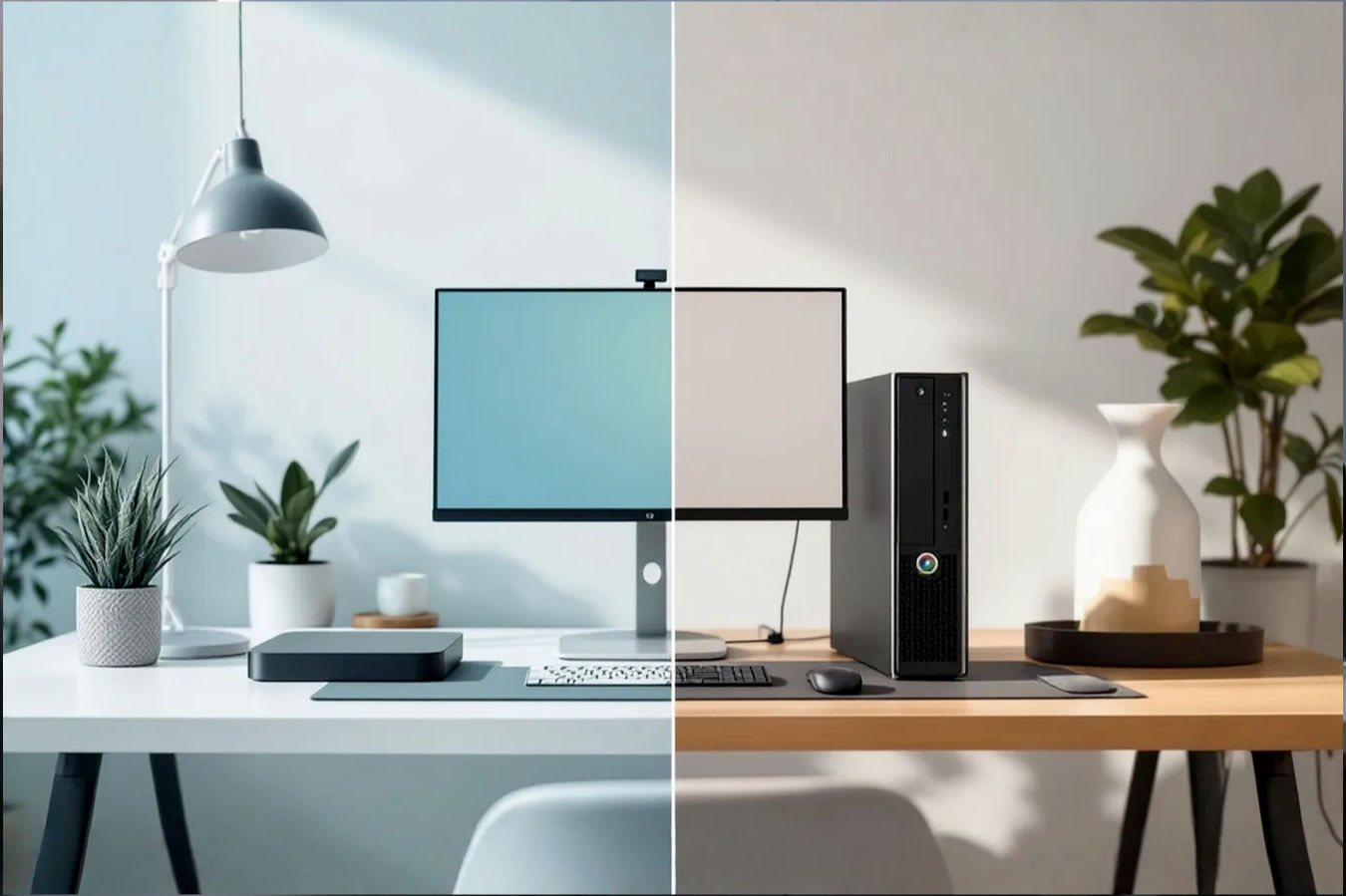
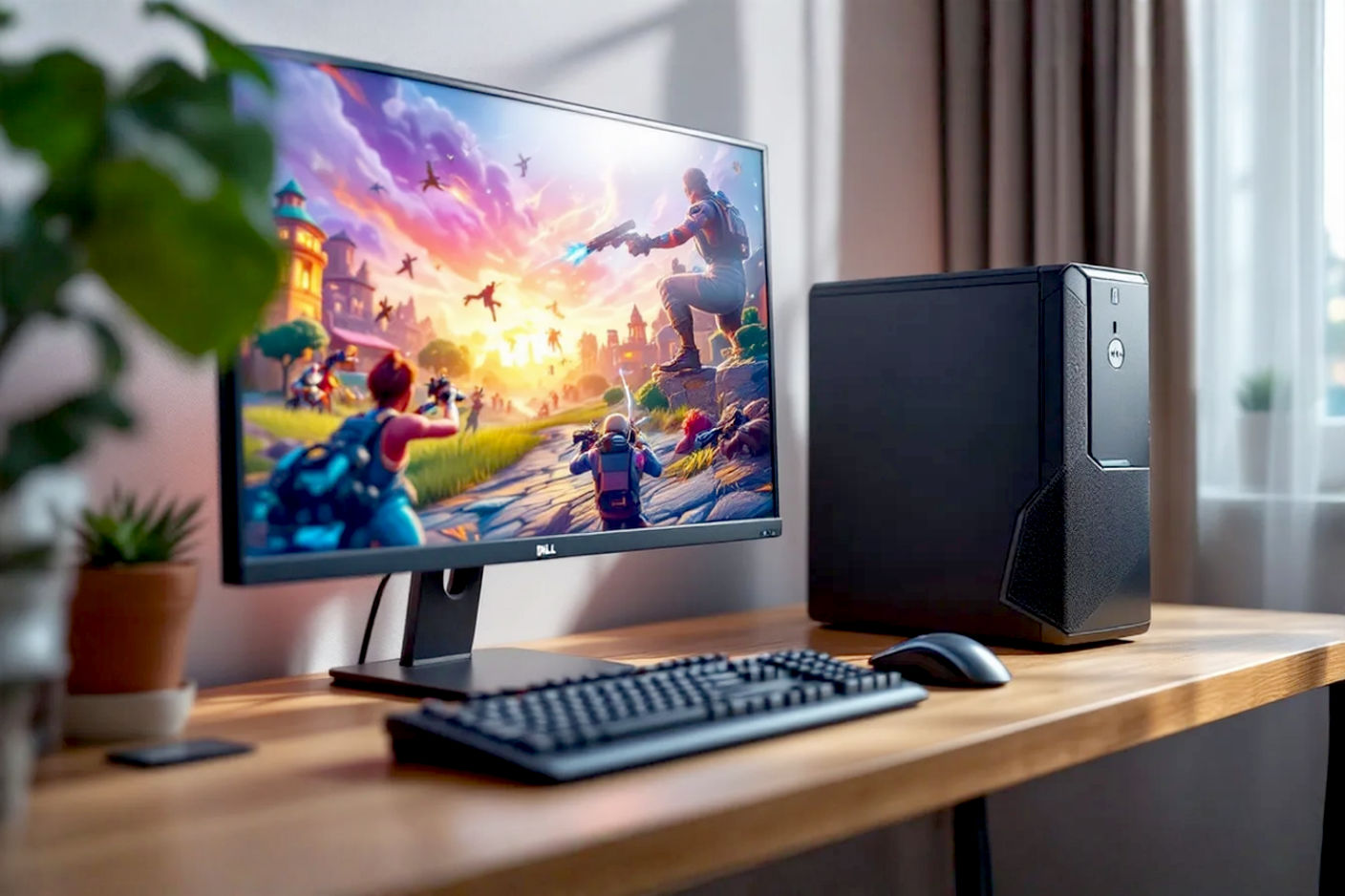
Look at your desk. If you are like most home-office workers, it is a graveyard of good intentions buried under cable spaghetti, half-read sticky notes, and a massive, dust-collecting PC tower that hums like a dying refrigerator.
For years, we’ve been sold a lie: that “Real Work” requires a box the size of a carry-on suitcase. We’ve been trained to believe that if you can’t hear the fan screaming, the computer isn’t thinking hard enough. But while you were trying to fit that mid-tower case between your legs without kicking it, mobile architecture changed the world. The same silicon shrinking technology that put a supercomputer in your pocket has finally matured enough to put a workstation on your desk—without taking up the entire desk.
But here is the trap: The Mini PC market is flooded with e-waste—underpowered glorified TV boxes that choke on a simple Excel macro. You don’t need a smaller box; you need denser computing. We analyzed the thermal engineering, I/O throughput, and silicon architecture of the top contenders to find the only 5 options worth your prime desktop real estate.
TL;DR: The Quick Verdicts
| Rank & Product | Best For… | The “One-Line” Verdict |
|---|---|---|
| 1. GEEKOM GT1 Mega AI | The Power User | A data center disguised as a coaster; overkill in the best way. |
| 2. GEEKOM A5 | The Aesthetic Pro | The “Goldilocks” choice—perfect specs, beautiful chassis, fair price. |
| 3. Huidun H20 | The Librarian | Shockingly fast memory in a box so quiet you’ll think it’s off. |
| 4. ACEMAGICIAN Vista V1 | The Budget King | Proof that you don’t need mega-money to run a competent home office. |
| 5. HP Pro 400 G9 | The Enterprise Fleet | Overpriced for you, but the IT department’s dream machine. |
How We Grade Authority
We don’t care about “sleek designs” if the computer throttles after 10 minutes. We grade on three non-negotiable technical metrics:
- Compute Density (Performance-per-Liter): It’s easy to be fast when you have massive airflow. The challenge is maintaining high clock speeds in a chassis smaller than a sandwich. We look for sustained TDP (Thermal Design Power)—does the chip stay fast, or does it slow down to prevent melting?
- I/O Versatility (The Dongle Index): A Mini PC fails if it requires a $100 dock just to plug in a mouse and monitor. We grade on the native availability of high-bandwidth ports (USB 4, HDMI 2.1, 2.5G LAN) that allow you to expand without clutter.
- Thermal Acoustics: In a small chassis, heat is the enemy. Fans have to spin faster to move air, which often creates a high-pitched “jet engine” whine. We look for efficient passive cooling designs and fluid-dynamic bearings that keep the decibels down while under load.
#1. GEEKOM GT1 Mega AI
If you need to render video, train AI models, or run a homelab server from your desk, this is the only serious option.
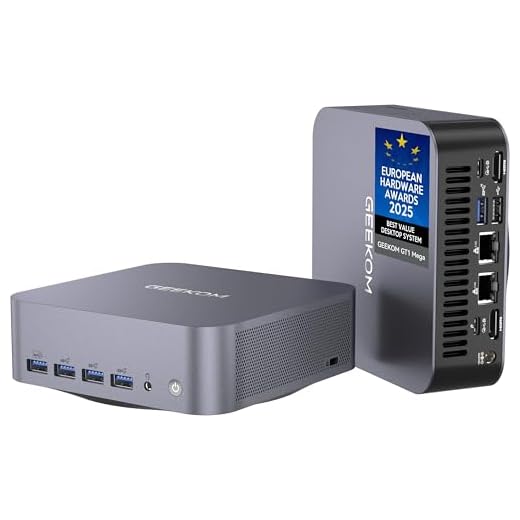
GEEKOM GT1 Mega AI Mini PC, with Intel 14th Gen Core Ultra 9 185H | 32GB DDR5 1TB NVMe SSD | Intel Arc Graphics | Dual 2.5G LAN & WiFi 7 | 8K Quad Display |…
-
Benefit 1: Replaces full-sized towers for video editing and AI workloads.
-
Benefit 2: Dual Ethernet makes it a perfect home server.
-
Spec Highlight: Intel Core Ultra 9 185H (16 Cores).
-
Spec Highlight: 32GB DDR5 RAM / 1TB SSD.
-
Who it’s for: The Power User & Creative Professional.
The Engineering & Design
The “Secret Sauce” here is the Intel Core Ultra 9 185H processor. This isn’t a stripped-down mobile chip; it’s a 16-core beast with a dedicated NPU (Neural Processing Unit) for AI workloads. GEEKOM pairs this with their “IceBlast 2.0” cooling system. Why does this matter? High-core chips usually cook inside mini chassis. The IceBlast system allows the CPU to pull up to 65W of power without thermal throttling, meaning you get sustained workstation performance rather than short bursts.
The Performance Experience
Using the GT1 Mega feels deceptive. You launch heavy applications—Photoshop, Premiere, local LLMs—and brace for the lag that never comes. The 32GB DDR5 RAM and dual 2.5G LAN ports turn this into a networking monster. It supports quad 8K displays, which is absurd for most, but it means driving your dual 4K monitors is effortless for the integrated Arc graphics. It doesn’t feel like a Mini PC; it feels like a high-end tower that someone shrunk with a ray gun.
What Customers Say About GEEKOM GT1 Mega
- The Frustration: Longevity anxiety. While rare, some users reported units failing after a few months, a common risk with high-heat density electronics.
- The Consensus: “A tiny powerhouse.” Users are consistently shocked that something this small can replace their bulky gaming towers or Plex servers.
- The Praise: The connectivity. Specifically, the dual Ethernet ports and WiFi 7 support make it a favorite for home server enthusiasts.
The “Fatal Flaw”
The price tag is eye-watering. You’re paying a premium for miniaturization. Also, while the cooling is good, physics is physics—under maximum load, you will hear the fan ramping up to manage that 65W heat output.
Who Is This For?
The Creative Professional or Home Lab enthusiast who refuses to compromise on speed but has zero desk space.
#2. GEEKOM A5
The best balance of price, performance, and build quality for 95% of users.

GEEKOM A5 2025 Edition Mini PC, AMD Ryzen 5 7430U, 16GB DDR4 & 512GB M.2 PCIe NVMe SSD, Windows 11 Pro Desktop Computer Support 8K UHD/Wi-Fi 6/Bluetooth…
Benefit 2: AMD Ryzen chip runs cooler and smoother than Intel equivalents.
Spec Highlight: AMD Ryzen 5 7430U (6 Cores).
Spec Highlight: Wi-Fi 6 & Bluetooth 5.2.
Who it’s for: The Aesthetic Work-From-Home Pro.
The Engineering & Design
While the GT1 is about raw power, the A5 is about architectural balance. It runs on the AMD Ryzen 5 7430U, a 6-core chip that is legendary for its power efficiency. The “Secret Sauce” is the chassis construction—a reinforced ABS housing with a metal inner frame. This provides structural rigidity without the Faraday cage effect that can plague all-metal builds, ensuring the Wi-Fi 6 signal stays strong.
The Performance Experience
The Ryzen chip is the star here. AMD’s integrated Vega graphics are historically superior to Intel’s older UHD graphics, making the UI feel snappy and smooth. With 16GB of RAM and a fast NVMe SSD, boot times are negligible. It handles the “Chrome Tab Stress Test” (30+ tabs) without stuttering. The “Rose Gold” aesthetic is a bold choice, moving away from the drab black boxes typical of this category, signaling that this is a lifestyle product as much as a tool.
What Customers Say About GEEKOM A5
- The Frustration: The “Windows Update Purgatory.” Multiple owners noted that the initial setup took over an hour due to slow updates, a software bottleneck that mars the unboxing experience.
- The Consensus: It offers incredible value. Users feel like they got a much more expensive PC than they paid for.
- The Praise: The build quality. Owners frequently mention the premium feel of the metallic chassis and the thoughtful port layout.
The “Fatal Flaw”
Fan curve tuning. Some users noted the fan can be “annoyingly noisy” under load if the turbo boost isn’t managed in the BIOS. It’s a common issue with high-performance chips in small boxes—silence often requires tinkering.
Who Is This For?
The Work-From-Home veteran who wants a reliable, good-looking machine that can handle Zoom, Office, and light media editing without breaking a sweat.
#3. Huidun H20
A masterclass in memory optimization that proves generic brands can compete with the big dogs.

Huidun H20 Mini PC Intel Alder Lake N95 16GB LPDDR5 RAM (Advanced Technology, 35% Gain on DDR4) 512GB SSD Mini Computer, WiFi 6/BT 5.2, 3 * 4K HDMI, Win 11…
-
Benefit 1: Dead silent operation (<39dB) thanks to active noise canceling tech.
-
Benefit 2: Supports three 4K monitors for massive screen real estate.
-
Spec Highlight: 16GB LPDDR5 RAM (35% faster than DDR4).
-
Spec Highlight: Intel N95 Processor.
-
Who it’s for: The Librarian & Day Trader.
The Engineering & Design
Huidun is a lesser-known name, but they made a brilliant engineering choice: 16GB LPDDR5 RAM. Most budget mini PCs use older DDR4. LPDDR5 provides significantly higher bandwidth, which is crucial for the integrated graphics of the N95 processor. This is their “Secret Sauce”—using faster memory to squeeze every drop of performance out of a budget CPU.
The Performance Experience
Silence. That is the defining characteristic of the H20. Huidun claims “Active Noise-canceling Technology” keeps it under 39dB, and real-world usage backs this up. It disappears into the background. Thanks to the LPDDR5, the interface feels snappier than other N95-based machines. It supports three 4K screens, which is a massive productivity boon for day traders or researchers who need screen real estate more than raw processing power.
What Customers Say About Huidun H20
- The Frustration: Documentation. One user explicitly mentioned, “There was no warranty card in the box,” making extended support difficult.
- The Consensus: It is surprisingly capable for the size and price.
- The Praise: The acoustic profile. “Stay Silent, Always” isn’t just marketing; users consistently cite the lack of fan noise as their favorite feature.
The “Fatal Flaw”
Support infrastructure. Unlike HP or Geekom, Huidun is a generic label. If the hardware fails in 18 months, you may find yourself navigating a warranty black hole with no clear point of contact.
Who Is This For?
The Writer or Researcher who needs absolute silence to concentrate and values screen real estate over 3D rendering power.
#4. ACEMAGICIAN Vista V1
The ultimate “bang-for-your-buck” machine that exposes how overpriced traditional PCs are.

ACEMAGICIAN Vista V1 N95 Mini PC, 16GB RAM, 512GB Storage, 12th Gen Intel N95
-
Benefit 1: Incredibly affordable without sacrificing basic performance.
-
Benefit 2: VESA mount included to hide it completely behind your monitor.
-
Spec Highlight: Intel N95 Processor (up to 3.4GHz).
-
Spec Highlight: Dual 4K Display Support.
-
Who it’s for: The Budget King & Family Use.
The Engineering & Design
The Vista V1 is built around the Intel N95 (12th Gen). This is an efficiency core chip—it’s not designed for gaming, it’s designed to sip power while crushing web browsing and document editing. The design is utilitarian and minimalist. It’s light (0.61 kg) and includes a VESA mount bracket, allowing you to bolt it to the back of your monitor and make it invisible.
The Performance Experience
For the price, the performance is shocking. It boots in seconds thanks to the SSD. While it won’t handle video editing well, for the 90% of tasks people actually do—email, streaming, spreadsheets—it is indistinguishable from a PC costing three times as much. The Dual 4K support is a standout feature at this price point, allowing for a legitimate productivity setup on a shoestring budget.
What Customers Say About ACEMAGICIAN Vista V1
- The Frustration: Peripheral limitations. Users noted the desire for more or newer USB ports, and some found the unit ran warm enough to warrant adding an external fan (paranoia or necessity, it speaks to thermal confidence).
- The Consensus: “Fast, Efficient.” It resurrects the home office for pennies.
- The Praise: The size. Owners love recovering their desk space from their old towers.
The “Fatal Flaw”
Thermal headroom. It’s a very small, very light plastic box. Under sustained load, it gets warm. It doesn’t have the sophisticated cooling of the Geekom units, so it’s best kept to bursty workloads (web browsing) rather than sustained ones.
Who Is This For?
The Budget Multitasker or the “Family PC” buyer who needs a shared computer for homework and bills.
#5. HP Pro 400 G9
A reliable, overpriced tank built for IT managers, not for you.

HP Pro 400 G9 Mini PC Desktop Computer, Intel CPU, 16GB DDR5 RAM, 256GB PCIe SSD, Triple 4K Display Support, USB-C, Ultra-Quiet Design, Bluetooth 5.2, WiFi…
-
Benefit 1: Enterprise-grade security and reliability (BIOS protection).
-
Benefit 2: Ultra-quiet design built for 24/7 operation.
-
Spec Highlight: Intel Celeron G6900T.
-
Spec Highlight: High-quality USB-C and DisplayPort I/O.
-
Who it’s for: The Corporate Fleet & Reliability Seekers.
The Engineering & Design
This is “Inside Baseball” time. The HP Pro 400 G9 lists for twice the price of others on our list, yet it runs on an Intel Celeron G6900T. In terms of raw horsepower, the cheaper Acemagic beats it. So why is it here? Build Quality and Bios Security. The “Secret Sauce” is HP’s enterprise ecosystem. It’s built to run 24/7 for 5 years without a hiccup. It uses enterprise-grade capacitors and verified supply chains.
The Performance Experience
It is slow but stable. The Celeron chip is a dual-core bottleneck in 2025. You will feel it when multitasking. However, the machine is ultra-quiet and the ports (USB-C, DisplayPort) are high quality. It comes with a keyboard and mouse, but they are wired, which feels like a slap in the face at this price point. You aren’t paying for speed; you are paying for the HP logo and the guarantee that the drivers won’t crash Windows.
What Customers Say About HP Pro 400 G9
- The Frustration: The “Wired Mouse/Keyboard” inclusion was universally panned as cheap and outdated.
- The Consensus: It’s a “Great machine” for simple needs, particularly for older users who just want something that works.
- The Praise: Robustness. It feels heavy and well-built, described as “Desktop computing power in a micro footprint” (though we dispute the “power” part).
The “Fatal Flaw”
Price-to-Performance Ratio. You are paying a 100% “Corporate Tax.” You can get double the performance for half the price with the Huidun or Acemagic, provided you are willing to forgo the HP support network.
Who Is This For?
The Corporate Remote Worker buying with a company stipend, or someone buying a PC for a non-tech-savvy relative who needs absolute stability over speed.
The Final Verdict: Choosing Your Station
- The Professional/Power User: Buy the GEEKOM GT1 Mega. It is the only machine on this list that can legitimately replace a full-sized workstation tower. It has the thermal headroom and the port selection to support a complex, multi-monitor professional workflow.
- The Value/Budget Play: Buy the ACEMAGICIAN Vista V1. It is arguably the best value in computing right now. For the cost of a fancy mechanical keyboard, you get a fully functional Windows 11 PC that handles all basics flawlessly.
- The Niche Specialist: Buy the Huidun H20. If your workspace requires absolute silence (recording studio, library, bedroom), the LPDDR5 speed combined with the acoustic engineering makes this a unique winner.
2026 Outlook: The Future of Mini PCs
Based on the architecture we are seeing in units like the GT1 Mega, the future of the Mini PC market is diverging into two distinct paths:
- Trend #1: The NPU Invasion. The dedicated AI chip in the GT1 is just the start. Expect next year’s budget models (like the successors to the Acemagic) to include low-power NPUs. This will move AI tasks (like background blur in video calls or local voice dictation) off the CPU, making even cheap chips feel faster.
- Trend #2: The Death of SODIMM. The Huidun H20 uses LPDDR5 (soldered RAM). While upgradability nerds hate it, soldered RAM is faster and more power-efficient. Expect more Mini PCs to abandon upgradeable RAM slots in favor of faster, integrated memory to feed bandwidth-hungry integrated graphics.
- Trend #3: High-End Networking Standardized. We are seeing dual LAN and WiFi 7 in the Geekom units. This server-grade connectivity will trickle down, turning Mini PCs into the default choice for home media servers and ad-blockers (Pi-hole) boxes, replacing the Raspberry Pi market which has become too expensive.
Further Reading
If you want to go deeper than the Amazon reviews, here is where the real experts live:
- The “Bible” Book: “The Soul of A New Machine” by Tracy Kidder. It’s an older text, but it explains the fundamental engineering battles of squeezing performance out of silicon better than anything written since.
- The Technical Deep Dive: ServeTheHome (STH). This website is the gold standard for Mini PC reviews. They don’t just review them; they tear them apart and test them as servers. If you want to know if a unit can run 24/7, check STH.
- The Community Hub: r/MiniPCs on Reddit. A surprisingly active and technical community. If a specific model has a hidden overheating issue or a bad BIOS update, this subreddit will know about it months before the tech blogs do.